
The Global Search Bar is one of the most useful features in the CRM, allowing you to quickly find records, files, dashboards, or even setup items across your entire org. Whether you’re tracking down a contact, checking an opportunity, or navigating to a report, Global Search saves time and keeps you productive.
Where to Find It:
The Global Search Bar is located at the top of every page. It’s always visible, so you can access it no matter where you are in the CRM.

How to Use Global Search
- Start Typing a Keyword
- Enter a name, number, or keyword related to the record or item you’re looking for.
- The CRM will auto-suggest recent and relevant results as you type.
- Filter Results
- After hitting Enter, results are grouped by object type (e.g., Accounts, Contacts, Opportunities).
- Use the filters on the left-hand side to narrow your search by object, owner, or last modified date.
- Search Operators (Optional)
- Use quotes (” “) to search for an exact phrase.
- Add an asterisk (*) as a wildcard to expand matches (e.g., “Tech*” finds “TechCorp” and “Technology Inc.”).
- Use AND / OR keywords for advanced searches.
- Search Setup Items
- If you’re an admin, Global Search can also surface Setup pages, such as profiles, permission sets, or Lightning apps.
Best Practices
- Use ‘Recently Viewed’ list views: often the record you need is among your recent history, which appears at the top of search results.
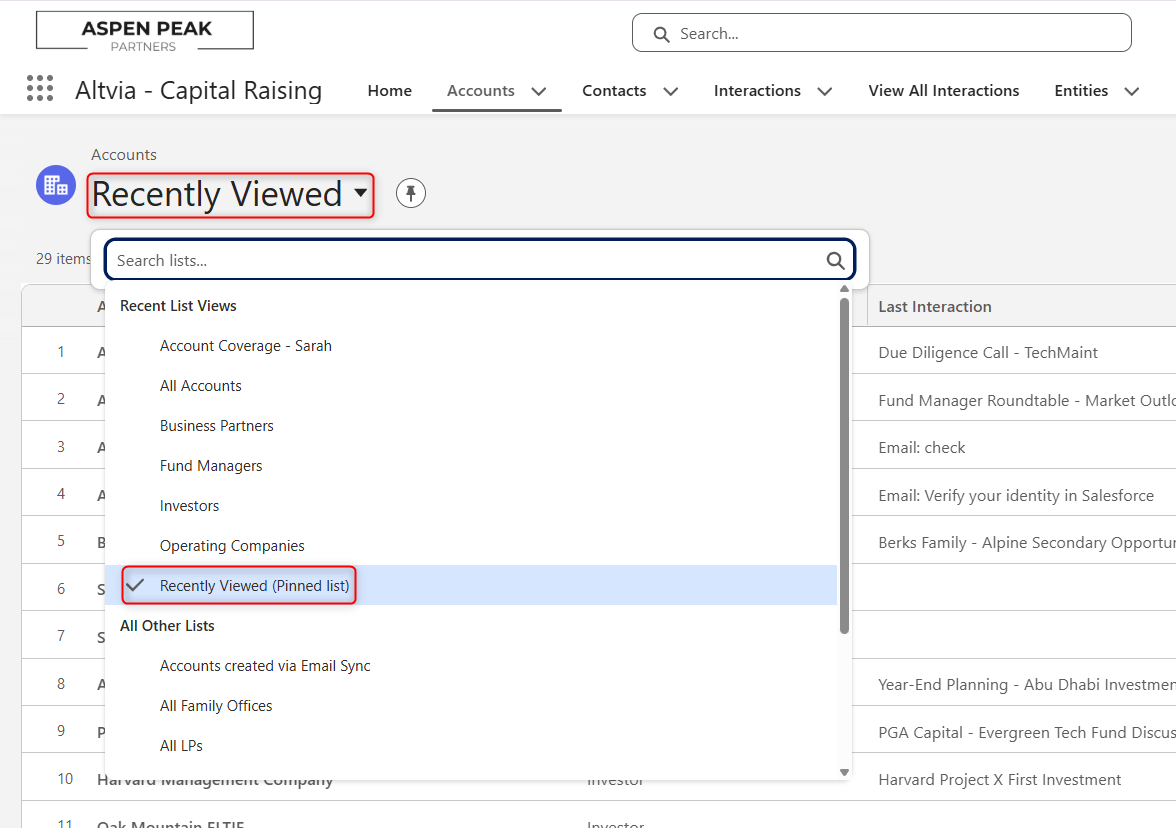
- Train your users: show them how to use filters and operators to avoid scrolling through unnecessary results.
- Check permissions: remember that users only see records they have access to, so search results may differ by profile or role.
- Searching is unique to each user due to Object frequency. The objects you use most frequently appear higher in your search results.
- Recent activity: Your search results are influenced by your recent record activity.
- Search term history: How often you search for a particular term can affect the order of your results.
By mastering the Global Search Bar, users can spend less time clicking through tabs and more time focusing on customer relationships, opportunities, and insights. It’s a simple tool that makes Salesforce navigation faster and smarter.
