
Smarter Navigation, Stronger Communication, and a More Intelligent AIMe
Altvia releases are built to make your workflows faster, investor communications clearer, and your use of AI more natural and powerful. This month’s updates improve how you navigate documents, understand investor engagement, and work with AIMe across desktop and mobile.VDR/Portal: Navigate With Clarity
Clearer Folder Paths for LPs and Internal Teams
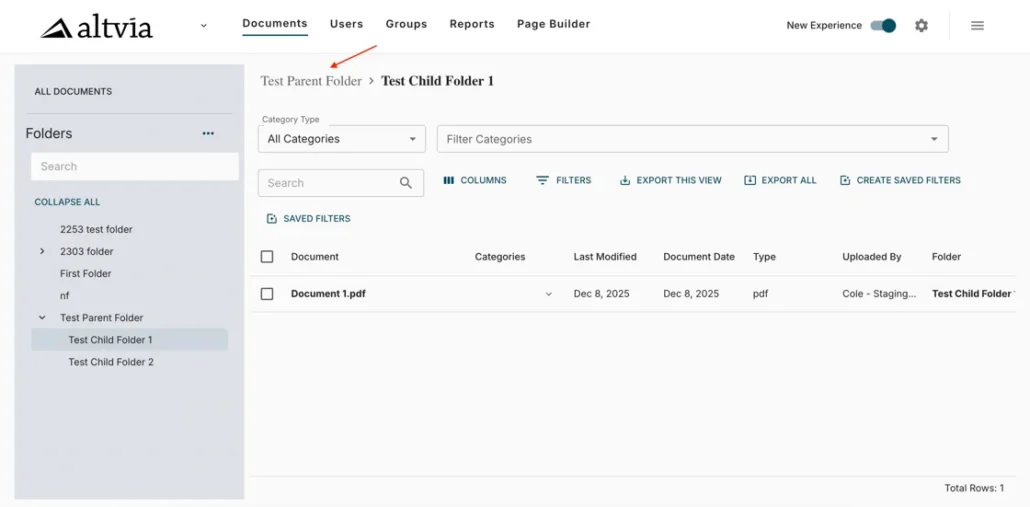
We’ve added a clean, intuitive folder path at the top of every documents page, giving you and your investors a clearer sense of place within complex folder structures. This visual breadcrumb mirrors the left sidebar and makes it easier to understand where you are without unnecessary backtracking.
This enhancement streamlines navigation and provides a more intuitive LP experience, and is especially helpful during peak reporting and fundraising cycles.
Automatic Redirects to the Latest Portal Version
Older bookmarks and legacy admin/dashboard links now automatically redirect to the current version of the portal. This ensures every end-user lands on the correct view and always sees the latest supported dashboards, reducing confusion and eliminating dead ends.
Mailings: More Insight, Better Control
Understand Engagement With Link-Level Click Visibility
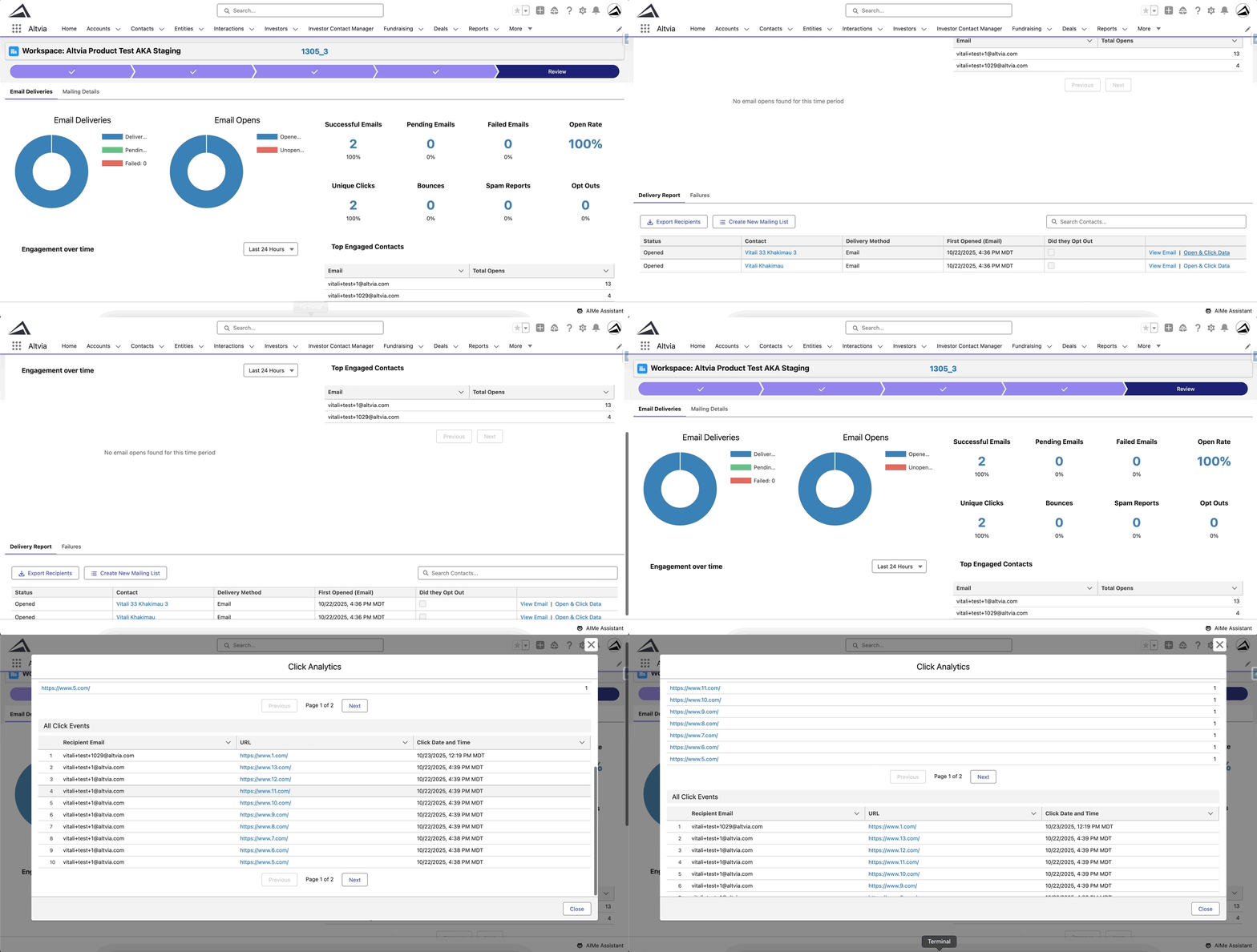
Now you can view click activity for each link inside a mailing, either across the entire send or for a specific recipient. This gives you clearer insight into what’s resonating with investors and helps you fine-tune future communications.
Recipient-level details display in a dedicated modal that summarizes open and click activity, while a mailing-level modal shows overall link performance.
Watermark Sensitive Documents Before You Send
Mailings now support static watermarking for sends up to 2,000 recipients. Upload a watermark template once and reuse it across communications, with support for merge fields to personalize or contextualize the watermark.
Create New Mailing Lists in One Click
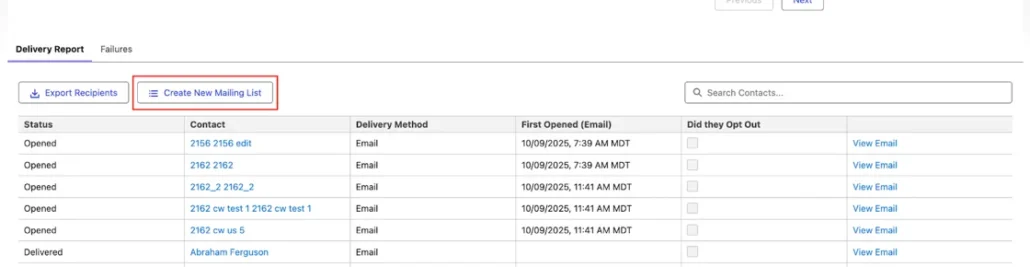
From any Delivery Report, instantly generate a new Mailing List using the exact recipients of that mailing. This makes follow-ups and targeted outreach significantly quicker without requiring manual list reconstruction.
AIMe: Faster Access, Actions, and Intelligence
Microsoft SSO on Mobile
The AIMe mobile app now includes full Microsoft SSO support, ensuring secure, compliant access without additional credentials. You can authenticate seamlessly using existing organizational SSO policies—ideal for teams who rely on AIMe while traveling or working remotely.
Recommended Prompts Help Start a New Chats
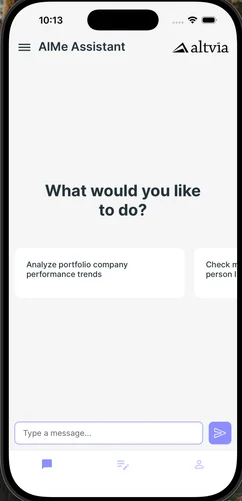
Now you’ll see recommended prompts from which you can launch a brand-new chat, making the assistant feel more fluid and intuitive. This reduces friction when moving between tasks and encourages more efficient use of the assistant.
Do More With OneDrive and AIMe
AIMe’s OneDrive integration has expanded to support broader file interactions, including searching across your entire drive, retrieving files in bulk or individually, and creating folders. This turns AIMe into a more powerful hub for document preparation and retrieval.
AIMe Remembers Your Preferences
With long-term conversational memory, AIMe now remembers your preferences across sessions—from how you fetch Salesforce records to how you structure interactions. This leads to a more personalized, consistent, and efficient experience every time you return to the assistant.