
Categories help organize documents within the VDR/Portal, making it easier for GPs and LPs to find the information they need quickly. Occasionally, a category may be created in error or is no longer needed.
Pre-Requisite:
- A category must be associated with at least one document for this feature to be available.
Delete Category Directly from the Document:
- Open a Document that has a category you want to delete
- In the right corner of the document settings, locate the “Categories” section
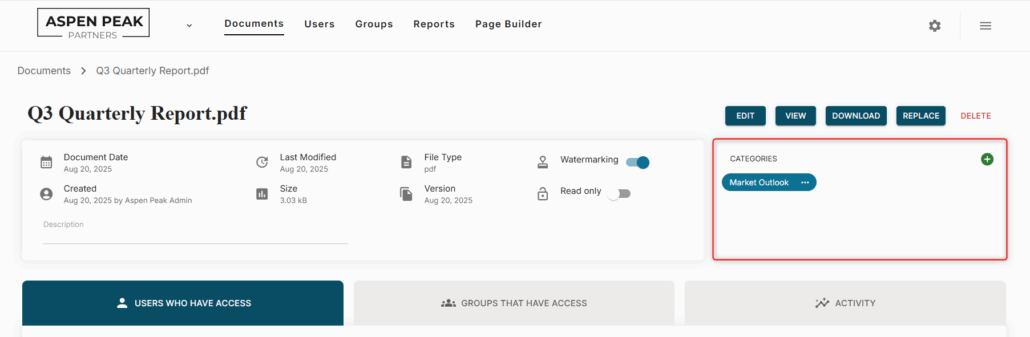
- Click the 3 dots in the blue bubble next to the category name.
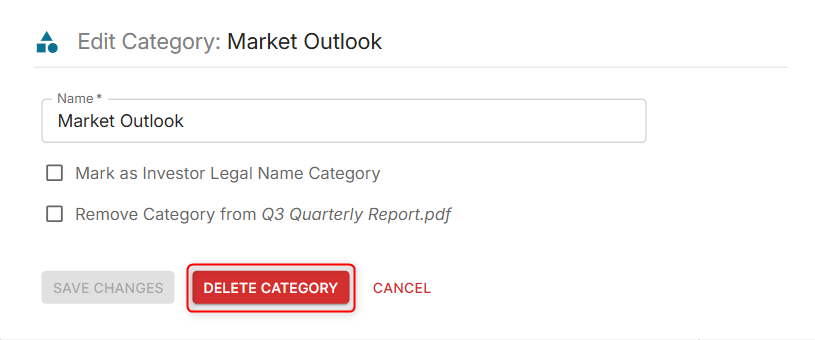
- Once the pop-up opens, click the “Delete Category” button.
Delete category from the ‘Documents’ tab:
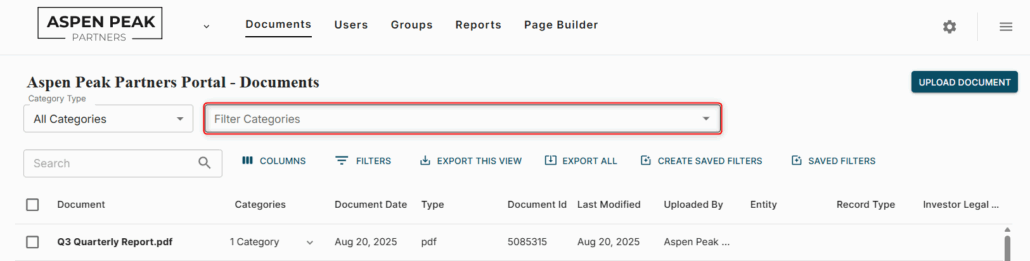
- In the search bar to filter categories, search for the category you want to delete.
- In the categories column, click the drop-down next to any document that populates after applying the filter.
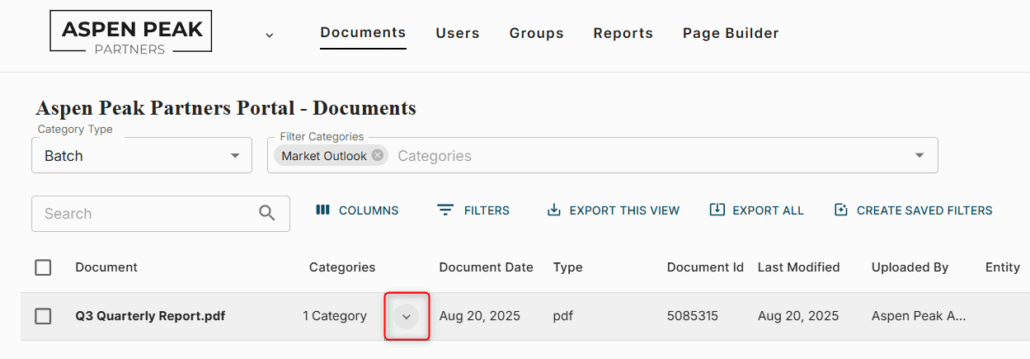
- Click on the 3 dots next to the category you want to delete.

- A pop-up window will show the category where you will have access to the “Delete Category” button.
Was this helpful?
Thanks for your feedback!
